AI-generated illustration — not a retailer product photo.
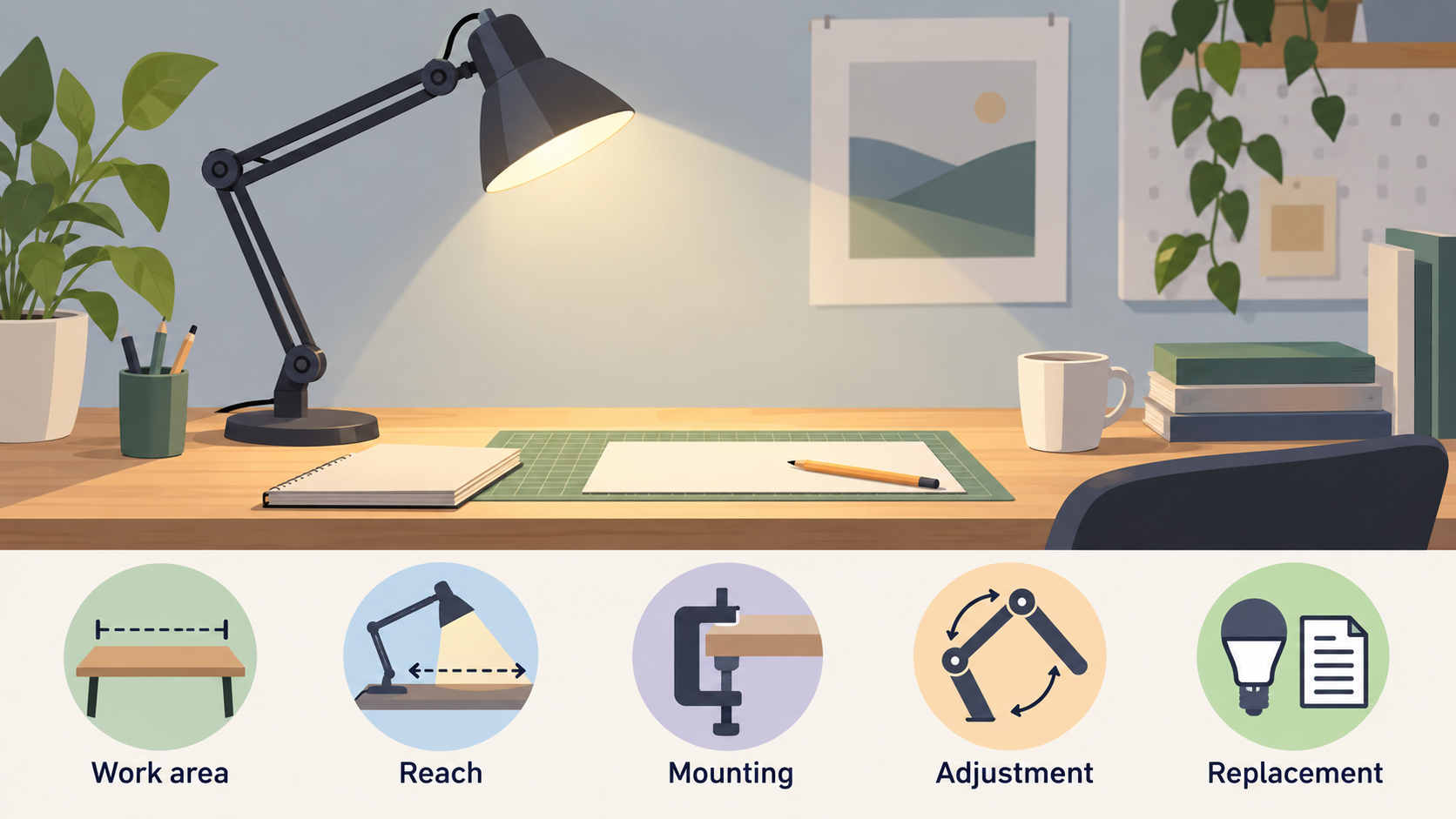
A useful desk or task lamp starts with the space and task in front of it. Measure the work area, identify where the light needs to land, then compare mounting, adjustment and replacement information in each product’s documentation.
Start with the workspace, not the lamp style
AI-generated illustration — not a retailer product photo.
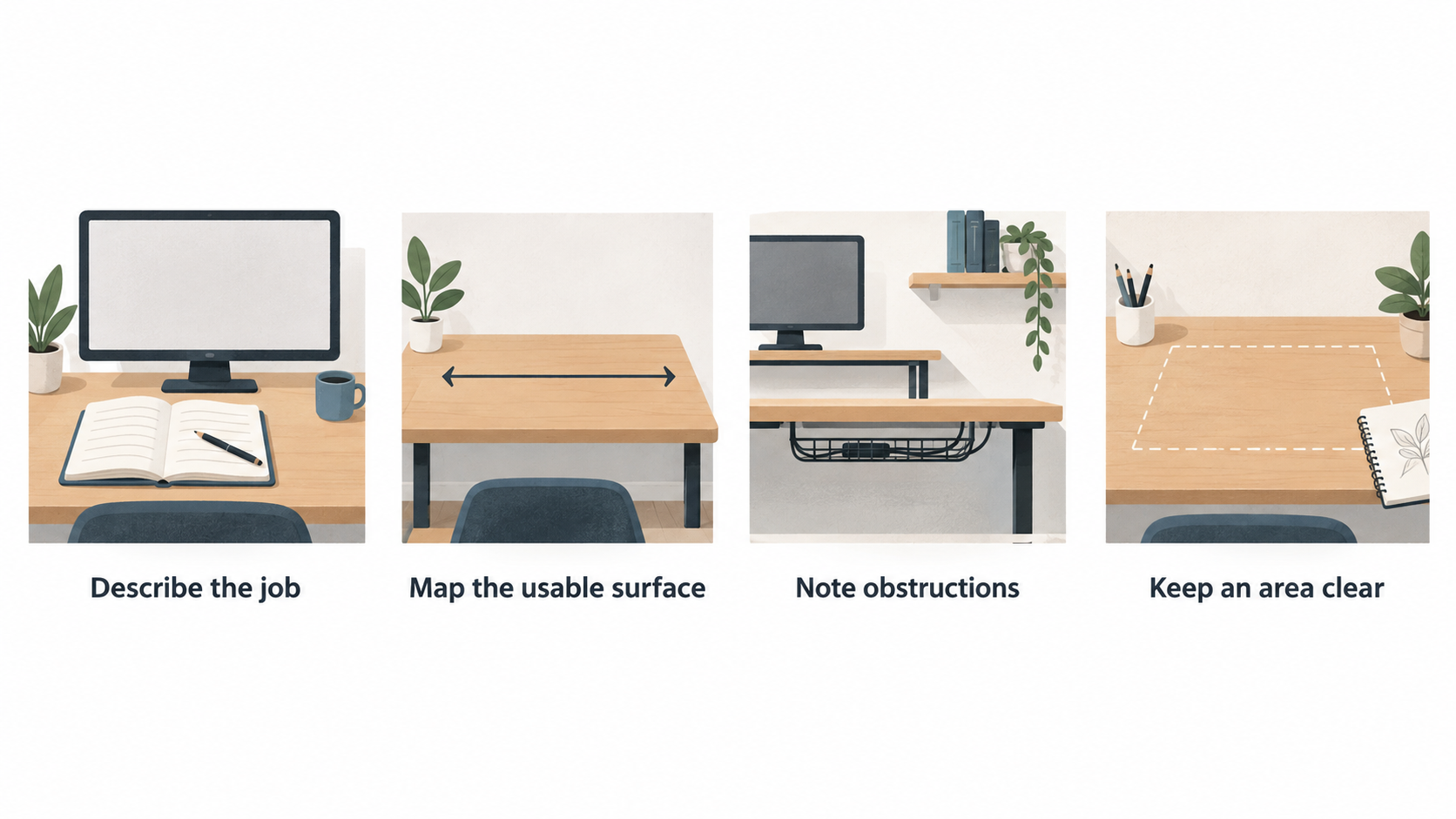
Start by describing the job the lamp must do. Is it for a notebook beside a monitor, a sketchbook at the front of a deep desk, a compact workbench or a reading chair? The answer changes the reach, mounting format and degree of adjustment that will be useful.
Map the usable surface before looking at finishes or styling. Note the desk depth, monitor stand, shelves, cable trays and any area that must remain clear for writing or making. Then mark the task zone: the place where you read, type, draw or handle small objects. A lamp should be chosen for its ability to reach and direct light towards that zone without taking over the rest of the workspace.
Product documentation is the comparison baseline. Check stated dimensions, arm configuration, mounting method, bulb or light-source description, controls and assembly instructions for the exact variant you are considering. This guide is general product information; it does not replace a product’s instructions or provide electrical, safety or installation advice.
Match reach and adjustability to the task zone
AI-generated illustration — not a retailer product photo.
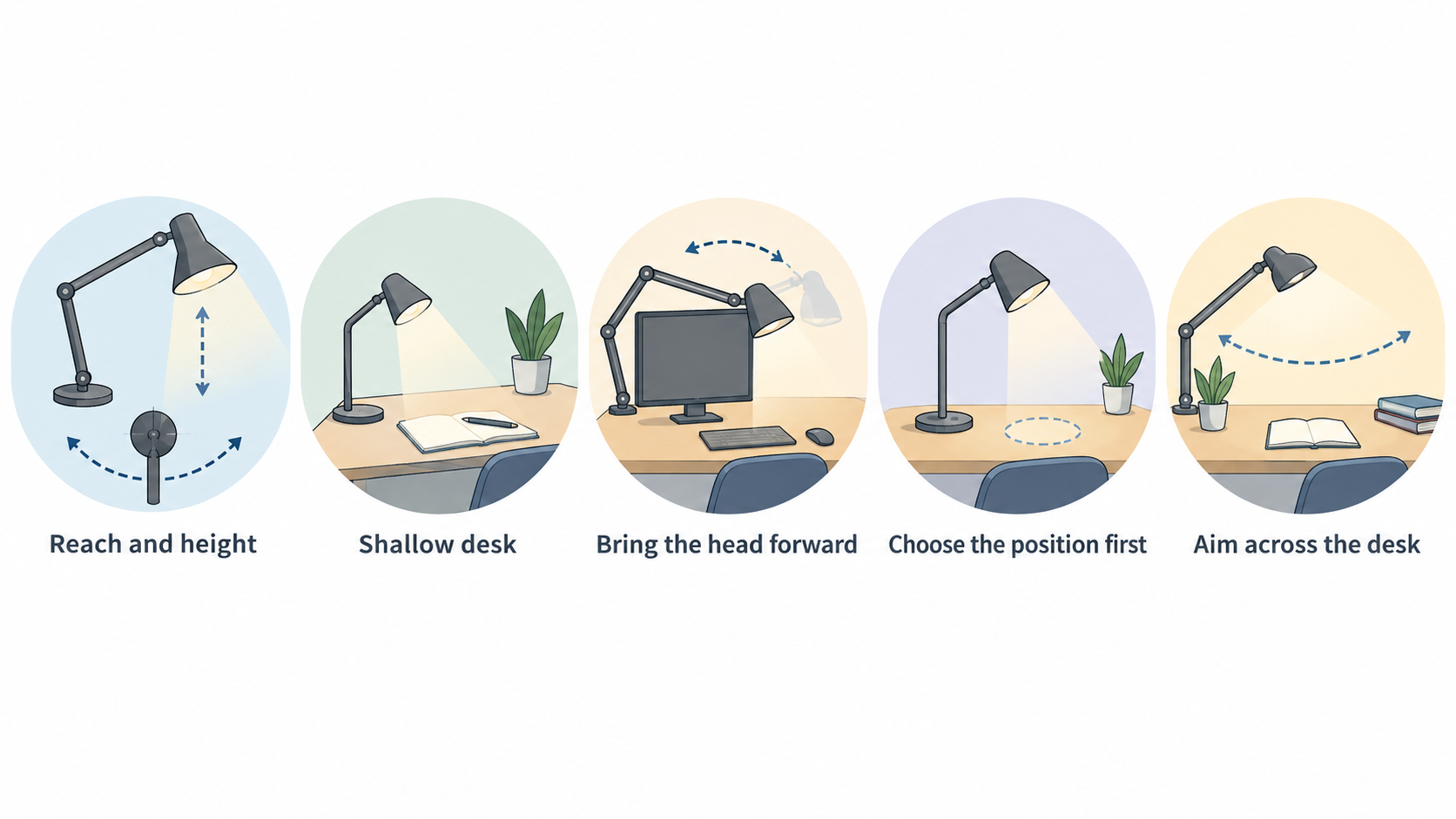
Think about reach in plan view as well as height. On a shallow desk, a compact lamp may place its head near the task with little adjustment. On a deep desk, or where a monitor sits between the mounting point and the work, an articulated arm can make it easier to bring the head forward and then move it back when the surface is needed for something else.
Choose the position first, then assess the mechanism. A broad working area may call for a head that can be aimed across more than one part of the desk. A reading, drawing or detailed making task may call for a position that can be directed more precisely. Neither approach is automatically preferable: it depends on whether the task zone stays in one place or moves through the day.
The official Artemide Tolomeo Table information describes an articulated-arm system with a spring mechanism and a head adjustable in all directions. It is a useful example of the questions to ask of any adjustable design: where can the head travel, how is the position held, and can the range cover the relevant part of the desk?
Before adding a model to a shortlist, use its dimension drawing or product page to compare the arm’s stated reach with the distance from its proposed base, clamp or wall position to the task. Also consider the route of the arm: a long reach is less useful if its likely movement is blocked by a screen, shelving or the person using the desk.
What articulated designs do well
An articulated design is most helpful when the work position changes. It can allow the lamp head to move between a reading area, a keyboard zone and a more open section of the surface, rather than requiring the whole lamp to be moved each time. An adjustable head also gives the user a way to aim the lamp from its chosen position.
The Tolomeo Table is a documented example: Artemide describes its articulated arms, spring-based adjustment in height and tilt, and head that is adjustable in all directions. The same source presents the design for desk, reading and table-lamp use. That does not make it a universal answer for every workspace, but it illustrates why a controlled arm and directional head can be worth comparing when one desk supports several activities.
IKEA’s TERTIAL work lamp documentation provides another example of the principle. It states that the arm and head are adjustable so the light can be directed where wanted. Use examples such as these to identify the mechanism you need, rather than treating an adjustable silhouette as proof that every model offers the same range or mounting options.
For a fixed, repeatable task position, a simpler format may be easier to assess: confirm that its head can be placed over the actual task zone and that the base or mounting location does not compete with the work itself.
Check the constraints behind flexible designs
Flexibility has a physical cost: the lamp needs somewhere to sit, clamp or mount, and its moving parts need a clear path. Check the available desk edge rather than assuming that any clamp will fit. A rear cable tray, a thick lip, an angled edge or a shelf immediately below the top can make an otherwise suitable clamp impractical.
Use the exact stated clamping range, not an estimate. For example, IKEA documents a clamping range of up to 60 mm for the TERTIAL work lamp. Measure the proposed location, including any material or hardware between the clamp faces, and compare that measurement with the manufacturer’s information and instructions.
Also consider what happens after the lamp is installed. A long arm may swing into monitor space, cross a shelf line or require the user to move objects before adjusting it. A base-mounted lamp can preserve wall space but occupy a portion of the desk. A wall-capable design may free the surface yet require a suitable nearby position and the relevant manufacturer documentation. If a product offers more than one mounting option, verify which components are included for the exact variant.
Choose the mounting format around available space
AI-generated generic editorial illustration — not a retailer product photo and does not depict the reviewed product or service. Make mounting-format trade-offs scannable before the reader chooses around available desk space.
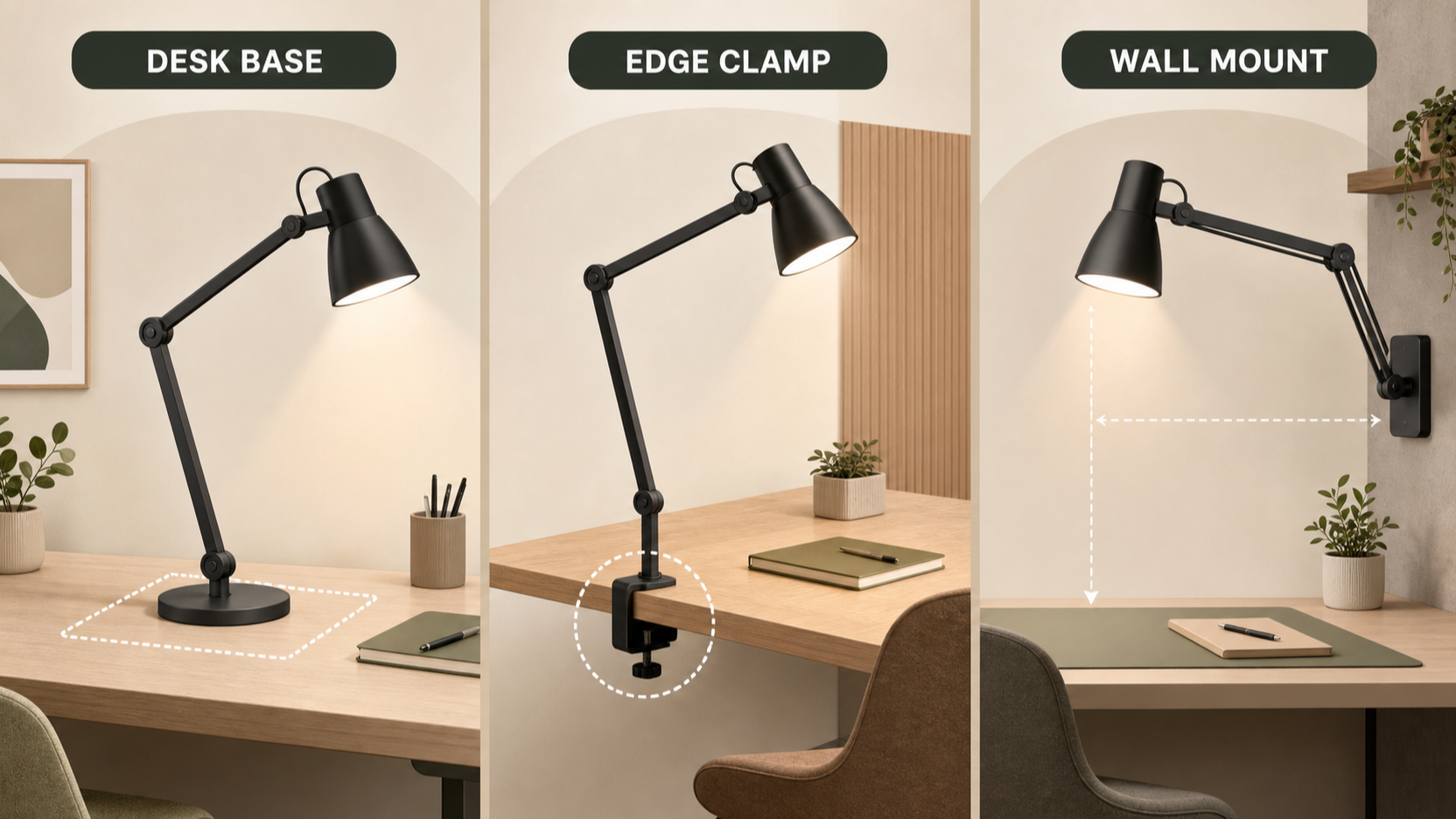 There are three practical starting points. A desk-base lamp needs a stable area of worktop. It can be the simplest option when the lamp will stay in one place and there is enough surface that its footprint will not interfere with papers, tools or a keyboard.
A clamp-mounted lamp can release desk area, provided there is a usable edge with compatible thickness and clearance below it. Measure the edge position as well as the thickness: a clamp at the rear may need to reach around a monitor, while one at the side may change the arm’s usable arc. The TERTIAL product information is useful here because it identifies both its clamp arrangement and its up-to-60-mm clamping range.
A wall-mounted position can keep the desk clear when the wall and surrounding space are appropriate for the product’s documented mounting method. IKEA states that the TERTIAL can be used as a table lamp or mounted on the wall. That is a product-specific option, not a general installation recommendation; check the exact instructions before treating a wall position as available.
For any format, sketch the lamp’s proposed origin point and task zone on the desk plan. If the route is crowded, try a different mounting point before moving to a different lamp category.
Compare the light-source and replacement path
Light-source design is an ownership question as well as a purchase question. Begin with what the listing and documentation actually state: the fitting, whether a bulb is supplied, the recommended bulb type where provided, and the support material available for the exact product.
The TERTIAL documentation states that its bulb is sold separately and recommends an E27 LED globe opal white bulb. For a replaceable-bulb design, record the stated fitting and whether the preferred bulb is included. This makes it easier to compare the initial purchase with the future task of sourcing a compatible replacement.
For an integrated LED design, do not assume a particular replacement path from the lamp’s appearance. Instead, look for the manufacturer’s product, care and support documentation for that exact model, then note what it says about the light source, controls and available support. BenQ’s e-Reading Desk Lamp page is one example of a manufacturer product page to retain beside the retailer listing when comparing documentation.
Avoid deciding that one light-source format is always better. A replaceable-bulb lamp may suit someone who wants to compare stated fittings and bulb availability; an integrated design should be assessed through its own stated product and support information. Put the documented replacement route on the same shortlist sheet as reach and mounting.
Use a documented shortlist checklist
Use a short sequence to narrow candidates:
- Measure the usable desk depth, clear base area, available desk edge and possible wall location.
- Mark the main task zone and any secondary zone that needs light.
- Compare stated arm reach, head adjustment and likely movement path against those positions.
- Confirm the mounting format, included components and any stated clamp range or mounting instructions.
- Record the light-source description, bulb fitting where applicable, inclusion status, controls and available manufacturer documents.
- Recheck the exact colour, size and regional variant before purchase, since product details can differ between listings.
This sequence keeps the comparison tied to evidence rather than assumptions. The Tolomeo and TERTIAL examples show why it is useful to separate an adjustable head, an articulated arm, a clamp range and a wall-mount option into distinct checks. A model can meet one of those needs without meeting all of them.
Primary CTA — Build your documented lamp shortlist
Frequently Asked Questions
How do I know whether a desk clamp will fit my desk?
Measure the proposed desk edge, including its thickness and the clearance beneath it, then compare both with the exact product’s documentation. Do not rely on the presence of a clamp in a photograph. IKEA states a clamping range of up to 60 mm for the TERTIAL, but this is specific to that product and should be checked against the desk and its instructions.
Is a replaceable-bulb lamp or an integrated LED lamp better for my needs?
Neither format is automatically better. Compare the documented ownership path. For a replaceable-bulb lamp, check the fitting, whether a bulb is included and the stated recommendation; IKEA lists the TERTIAL bulb separately and recommends an E27 LED globe opal white bulb. For an integrated design, retain the exact manufacturer support documentation and confirm what it states before deciding.
Can one adjustable task lamp work for reading, computer work and creative tasks?
It may suit several task positions when its documented arm and head movement can reach each zone without obstruction. Artemide describes the Tolomeo Table as having spring-adjustable articulated arms and a head adjustable in all directions, while IKEA describes adjustable arm and head positioning for TERTIAL. Map those documented features against your own desk rather than assuming that every adjustable lamp will cover every activity.
Related reading
- Best adjustable desk and task lamps for German homes and workshops: evidence-led top choices
- Anglepoise Type 75 review: strengths, limits, mounting choices and alternatives
- IKEA TERTIAL review: clamp, reach, replaceable bulb and everyday trade-offs
- Replaceable-bulb vs integrated-LED task lamps: maintenance, controls and long-term trade-offs
Editorial information: About our editorial team · Read our editorial policy · Read our affiliate disclosure.